
What teachers get
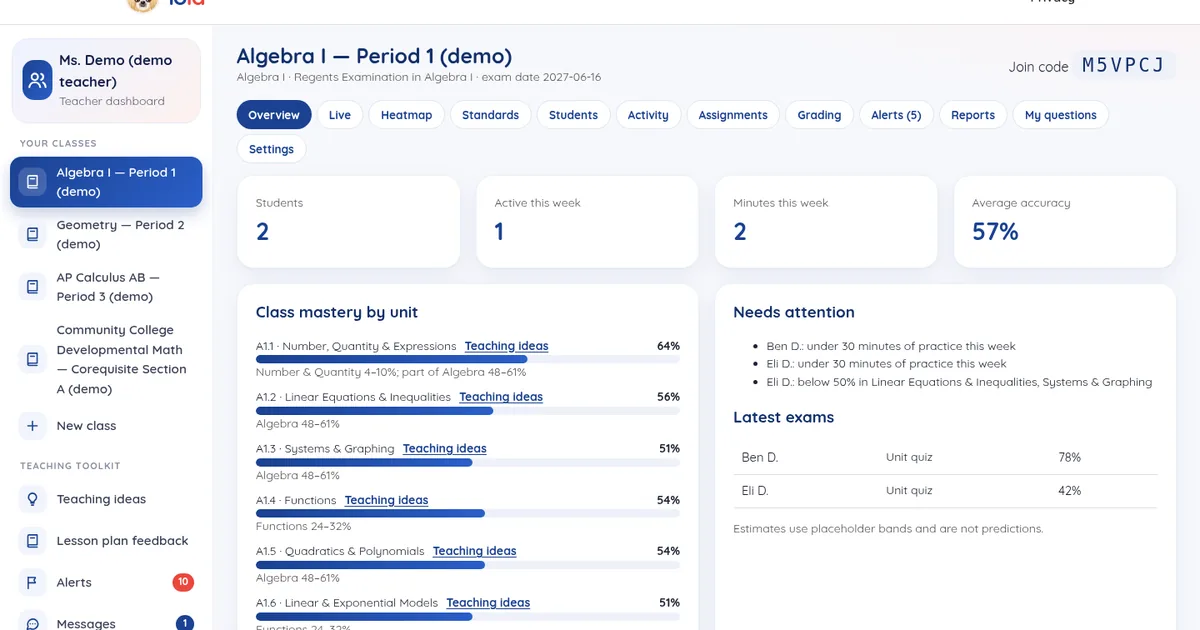
You're the expert. Students use Lola outside class, for homework, practice and review between lessons, and you stay connected: class progress by NYS Next Generation standard and AP unit, teaching ideas per topic, lesson plan feedback, grading that fits how you grade, optional struggling-student alerts, messaging, narrative reports and a live view of who's practicing.
See how teachers use Lola
A quick tour of the teacher side (under 2 minutes, with Lola's voice): the class dashboard, the heatmap by unit and standard, each student's time on task, building an assignment with answer-key previews, adding your own questions, auto-graded results and CSV export. Students and results shown are invented demo data.
Lola's voice is AI-generated (the same voice students hear in the app). Demo students; no real student data.
Every class, at a glance
- Classes and join codes: create a class for any course, share a code, or add students yourself and reset passwords.
- Per-student detail: time on task, hints, exam history with estimates, study plan and check-ins.
- Feature toggles per class: chat, voice and photo upload.
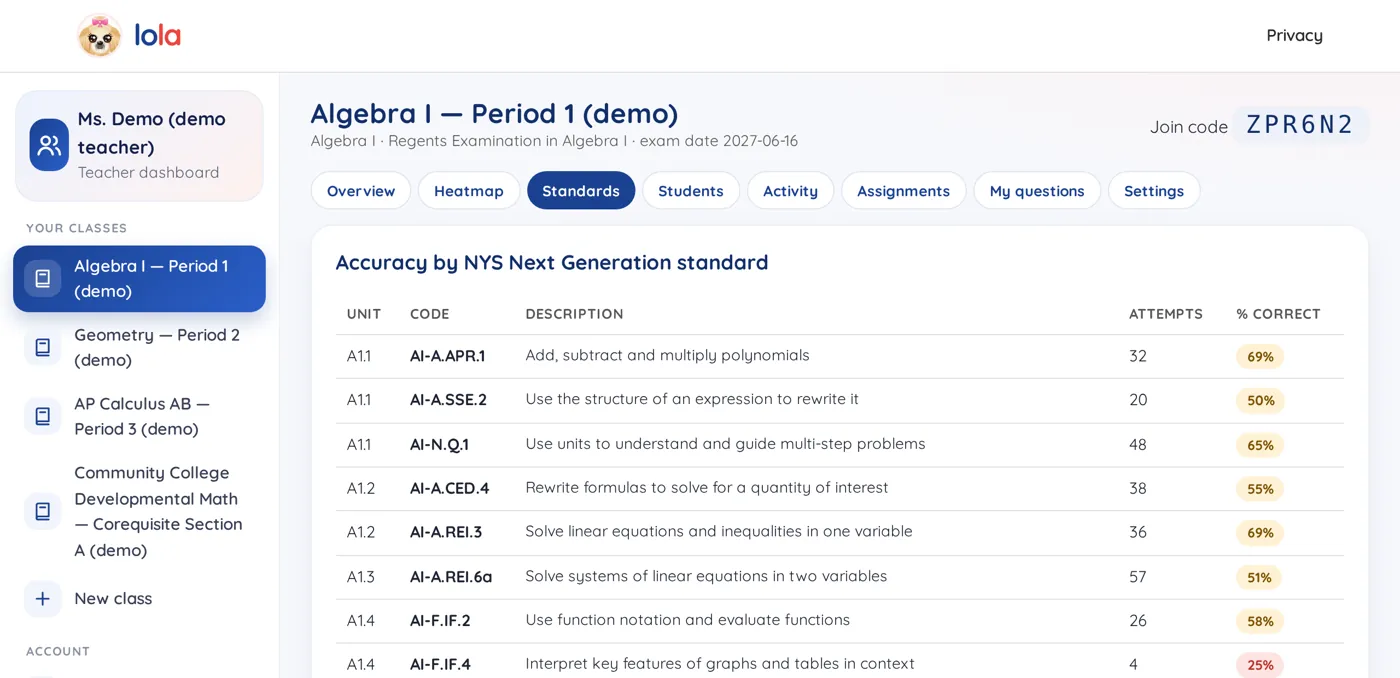
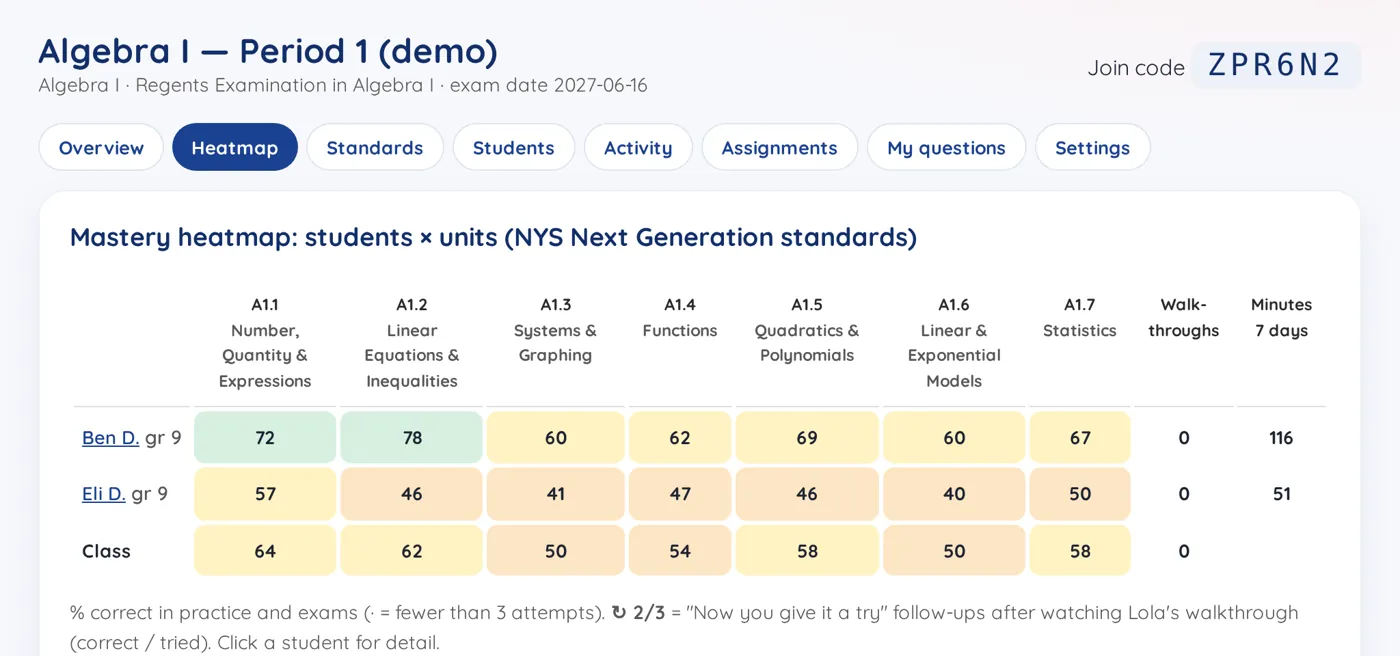
Heatmap by unit and standard
Every student × every unit, plus accuracy per NYS standard code or AP topic. Every question is tagged with its NYS standard code (or AP CED topic), so you can see exactly which standard each problem builds.
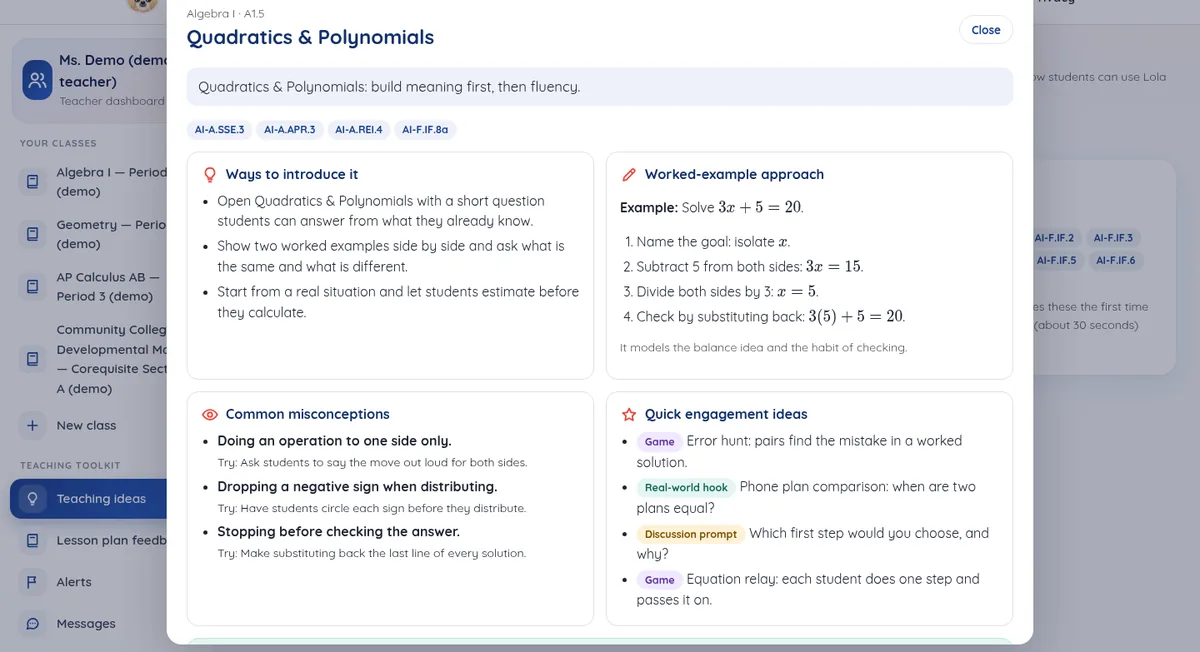
Teaching ideas per topic
Open any unit and get teaching ideas shaped for that topic: opening activities you can adapt, discussion prompts, common misconceptions and ways to follow up after students practice with Lola outside class. You decide what to use; Lola drafts so you can spend time teaching.
Upload a lesson plan, get feedback
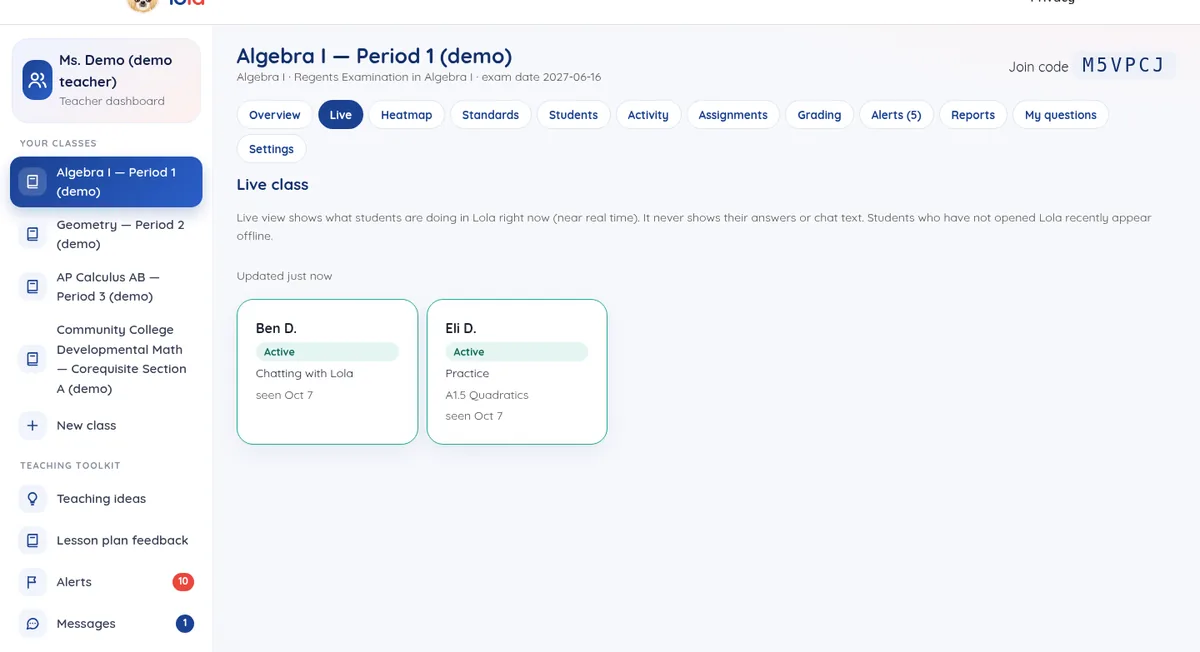
Paste or upload a lesson plan and Lola gives structured feedback: pacing, standards alignment, places students may struggle and ideas to tighten it. Your plan stays yours; the feedback is a second pair of eyes, not a replacement for your judgment.
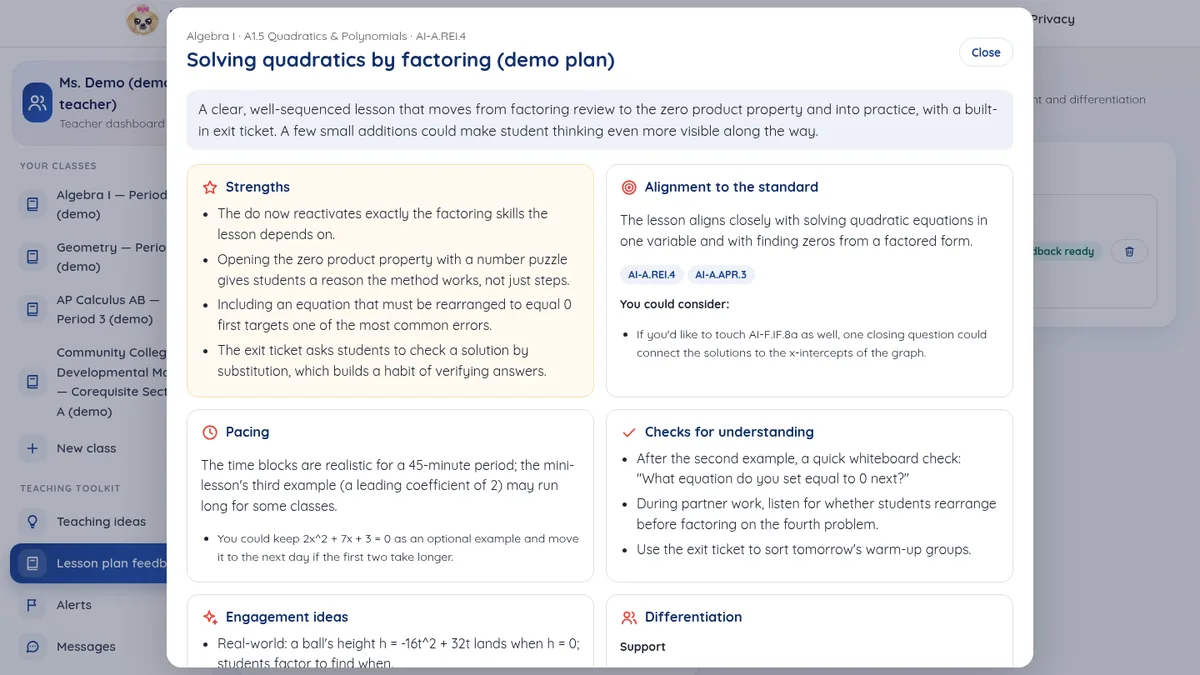
Grade the way your syllabus grades
- Assignment types and weights: set categories (homework, quizzes, exams and more) and the weights that match your syllabus.
- Talk to Lola about how you grade: describe your rubrics and policies in a conversation; Lola saves guidelines that fit your class.
- Estimates from Lola work: see estimated course standing based on Lola practice only — clearly labeled as an estimate, not a final grade.
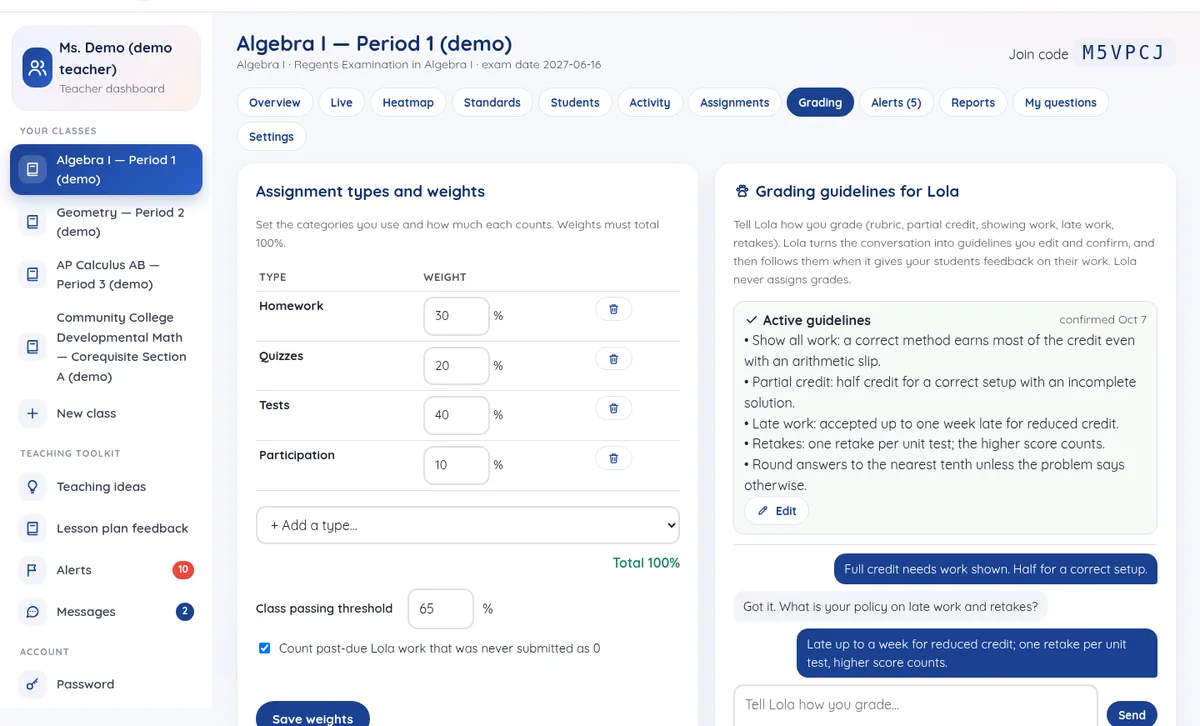
Struggling-student alerts, when you want them
Optional alerts when Lola work suggests a student may need a check-in: a tough topic, past-due assignments or an estimate below your passing threshold. Resolve alerts when you've followed up. Opt in to email for urgent ones — nothing here is shown to students.
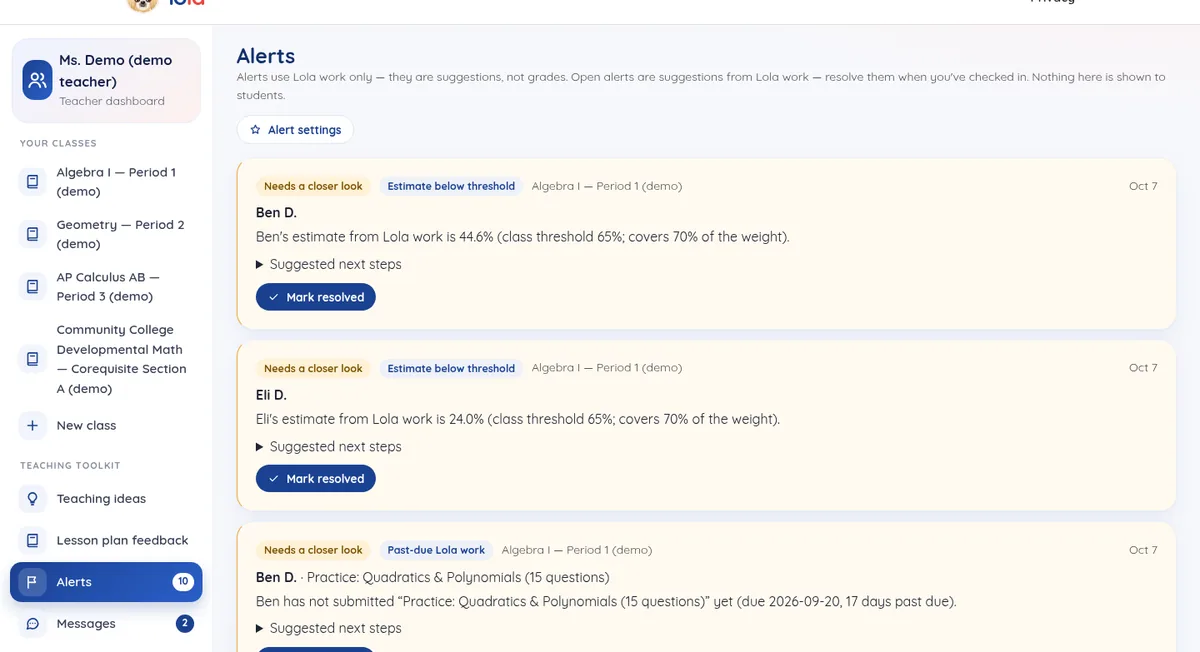
See who's practicing with Lola right now
A live view of students who are in Lola outside class: who's active, idle or offline, and which part of the app they're in. It never shows answers or chat text — just where they are — so you can decide who to message or follow up with later.
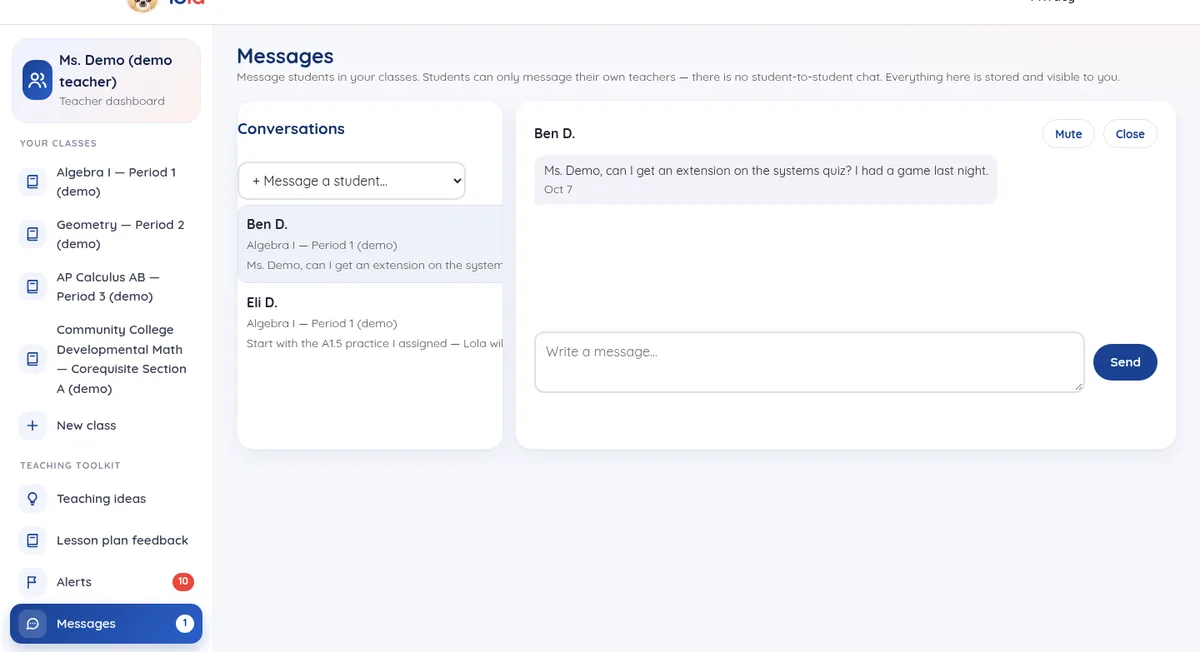
Message students who need you
Student–teacher messaging inside Lola: reach out when an alert or the live view suggests a check-in, and students can message you from their portal when they need help. There is no student-to-student chat — just a direct line between you and your students.
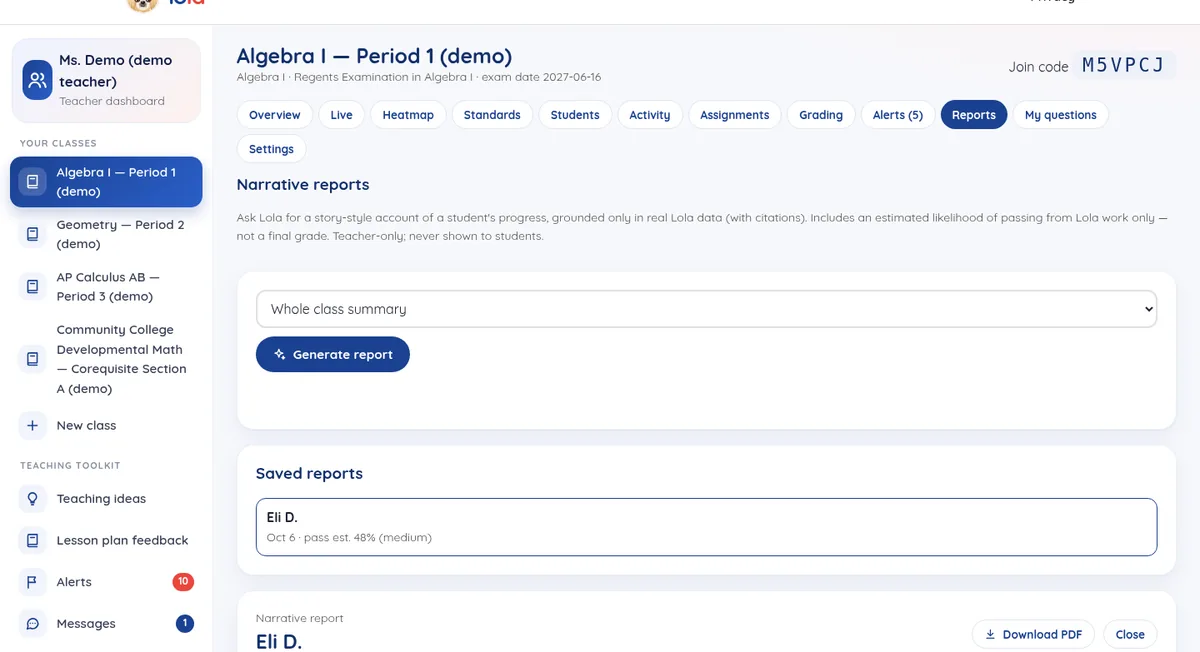
Narrative inquiry reports with a pass estimate
Ask Lola for a story-style account of a student's progress, grounded only in real Lola data with citations. Each report includes an estimated likelihood of passing (%) from Lola work only — clearly labeled as an estimate, not a final grade or prediction. Teacher-only; never shown to students.
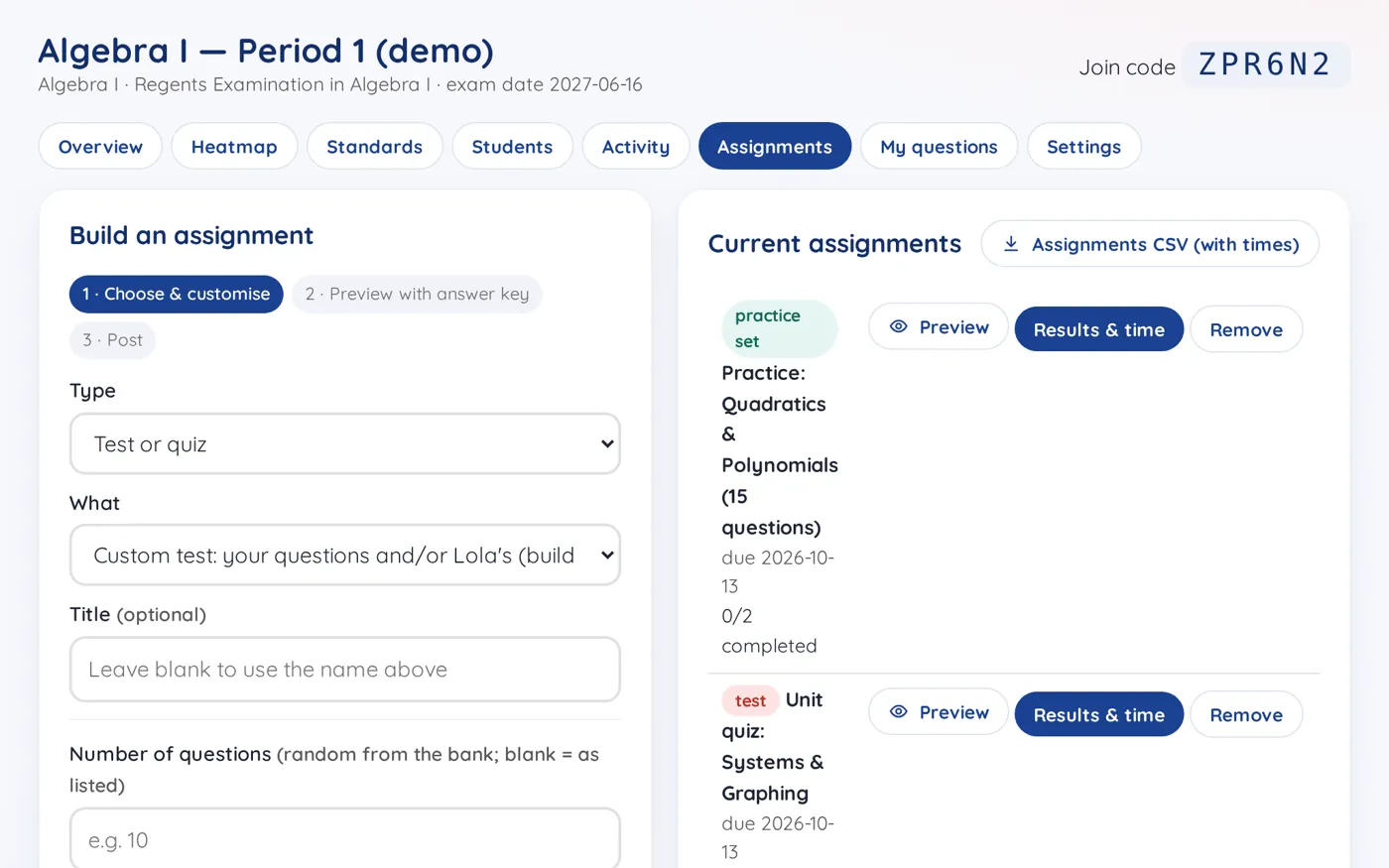
Build an assignment, check every answer, then post
- Assign work: unit practice, quizzes, Regents-style or AP-style exams, strategy lessons, with due dates.
- Preview with answer key: see every question with its answer key and worked solution before students do.
- Mix and match: add questions from Lola's bank and from your own questions.
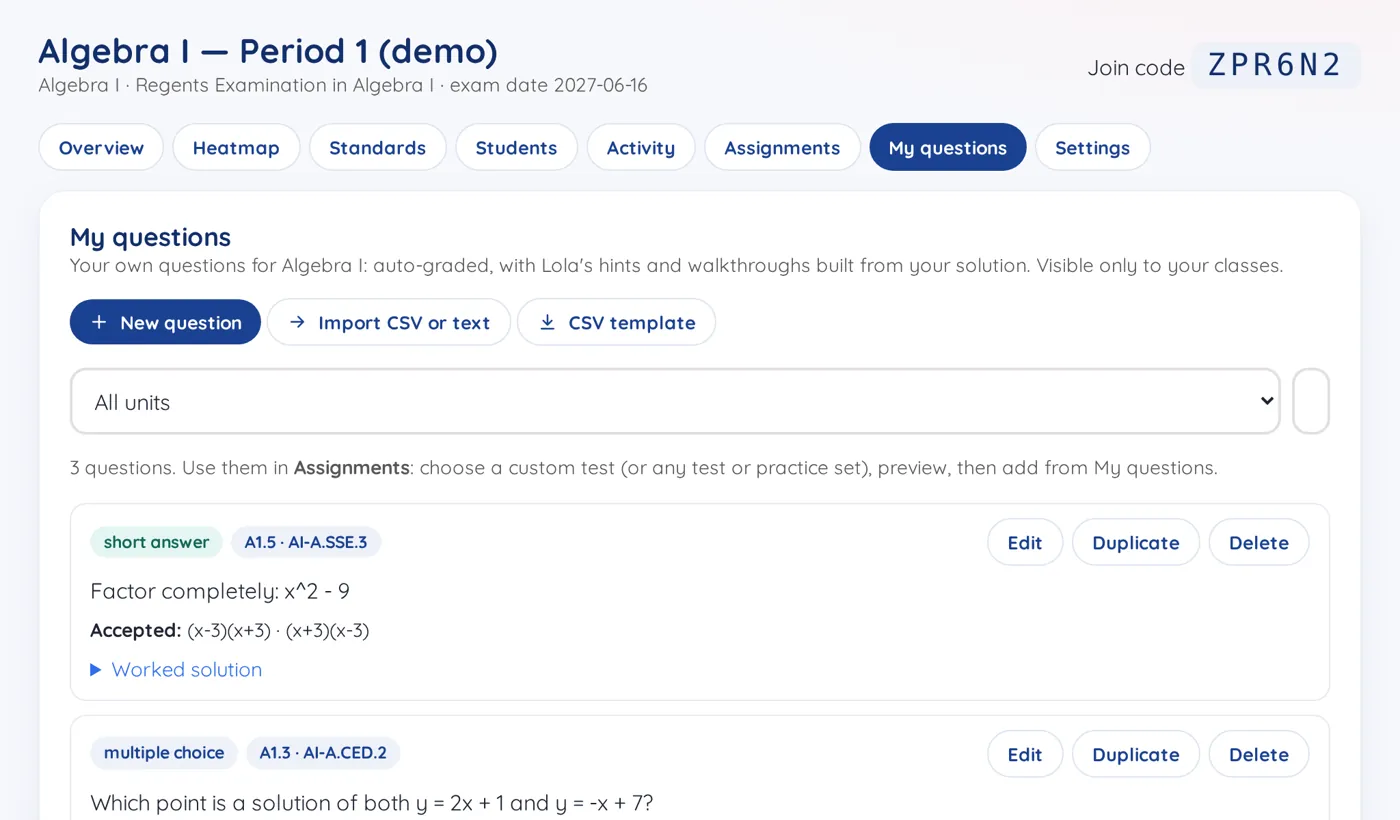
Your own questions, auto-graded
Write your own questions for any course (multiple choice, numeric or short answer), or import several from a CSV file. They are auto-graded, with Lola's hints and walkthroughs built from your solution, and you can use them in any custom test or practice set.
Auto-grading and results
Checked by a math engine
Practice, quizzes and exams are auto-checked with a math engine (SymPy), not a guess.
Results with time taken
Assignment results show each student's score and time taken, and Regents-style and AP-style exams come with a score report by part, unit and standard.
CSV export
CSV export of students, standards and exams for your gradebook or data meetings.
Community college instructors get the same heatmap, Activity, alerts, messaging, narrative reports and CSV export as teachers.
Privacy by design
Minimal data
First name and last initial only. No email, birth date, address or student ID numbers. No ads, no selling data.
Pseudonymous AI
The AI never sees a student's name: each student is a random ID, and names typed into chat are replaced before anything is sent.
Teacher controls
Chat retention set per class (transcripts are deleted after it), feature toggles, and one-click removal of a student's data.
A real NYC DOE deployment would need a signed data privacy agreement under New York Education Law §2-d and DOE vendor approval. Read the privacy page.

Request a demo for your school
We'd love to show Lola to your math department and plan a pilot with your teachers.
Screens show a demo class with invented students; no real student data.